 Metavershche and AIshche
New Functions and Hotkey Settings in ChatGPT
OpenAI has updated ChatGPT's functionality, adding flexible hotkey settings and new interface tools. Users can now assign hotkeys for dictation and screenshot creation.
Flexible Hotkey Configuration
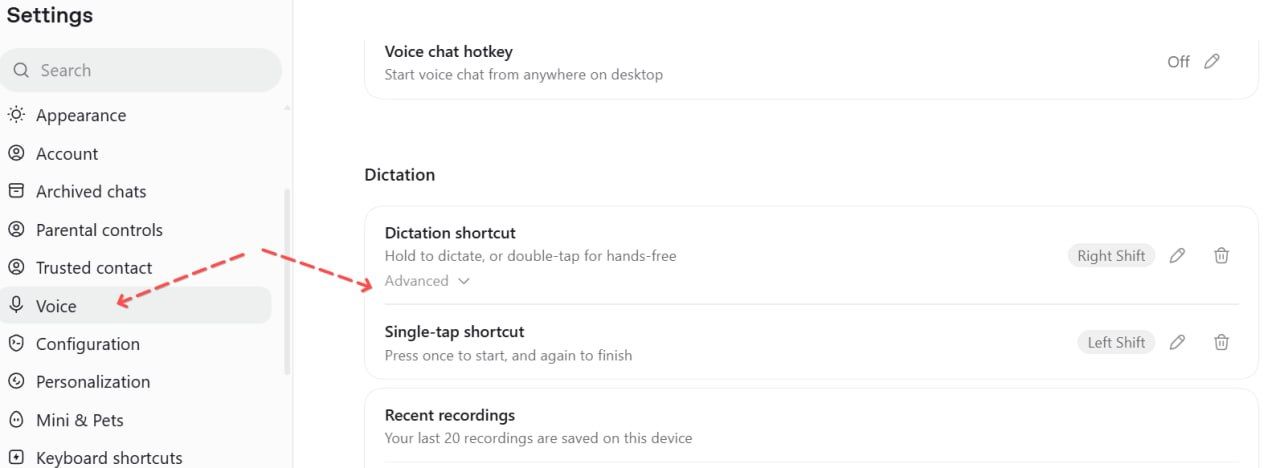
ChatGPT now allows assigning hotkeys using single keys like F9 or Shift, not just modifiers like Ctrl or Alt. This enables using the right Shift key to activate dictation mode anywhere in Windows.
The feature works reliably only with the English keyboard layout. With Russian layout, it may insert symbols incorrectly or be ignored. OpenAI recommends using AutoHotkey scripts to resolve this issue.
New Apps Snapshot Mode
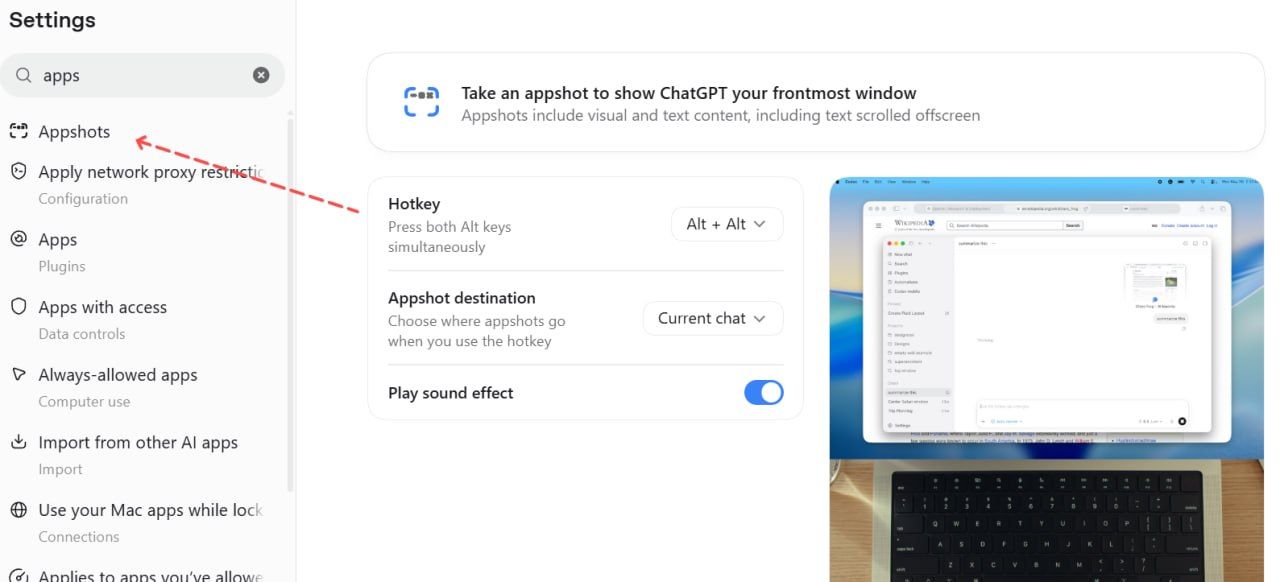
A quick screenshot function is now integrated into the interface. Double-pressing Alt or Shift instantly sends a screen image to the ChatGPT input field, simplifying visual content analysis without manual saving.
This feature has a known bug: screenshots always open in a new chat and Work mode, not the current session. Developers have acknowledged the issue and are preparing an update. Until the patch is released, users can automate the process via scripts.