 Exploit
How to Find an iPhone Without FindMy via Automation
iPhone owners can track their partner's location without using the standard FindMy app. To do this, you just need to set up an automation in the system "Shortcuts" app.
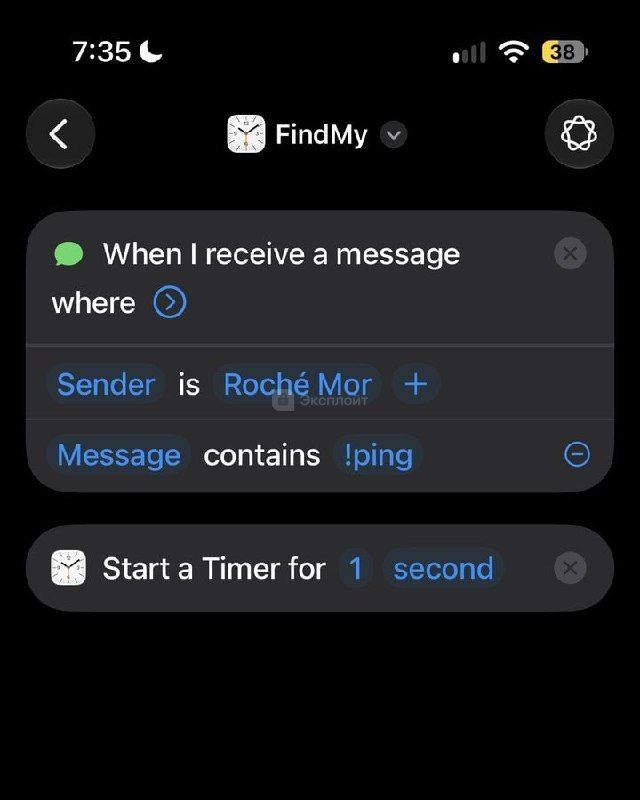
The method is based on creating a trigger that reacts to an incoming message with the text !ping. After receiving the command, a timer with a duration of one second starts, which allows you to determine the device coordinates.
To implement this method, follow these steps:
- Open the Shortcuts app, go to the Automation section, and create a new script
- Select the Message trigger and specify the condition: sender is a selected contact, text contains !ping
- Add the Run Timer action and set the duration to one second
- Configure the automation to run immediately without user confirmation
The created scheme allows you to quickly find your partner's device using only built-in iOS functions. A detailed setup example is available at the link below.
Example of creating an automation for finding an iPhone
96.9K views