 Prompts for Neural Networks
Creating 3D Effects in iOS Interface Prompts
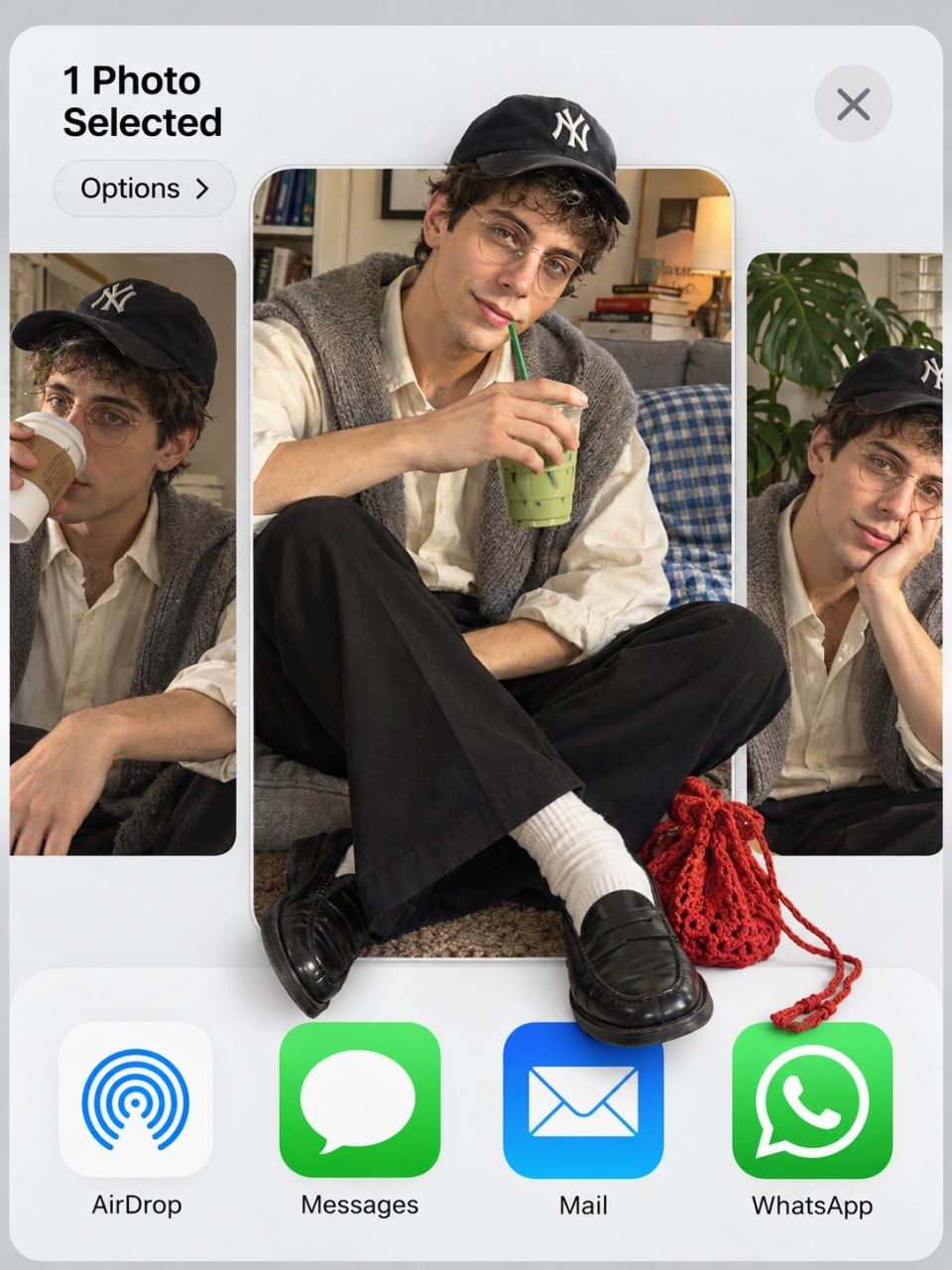
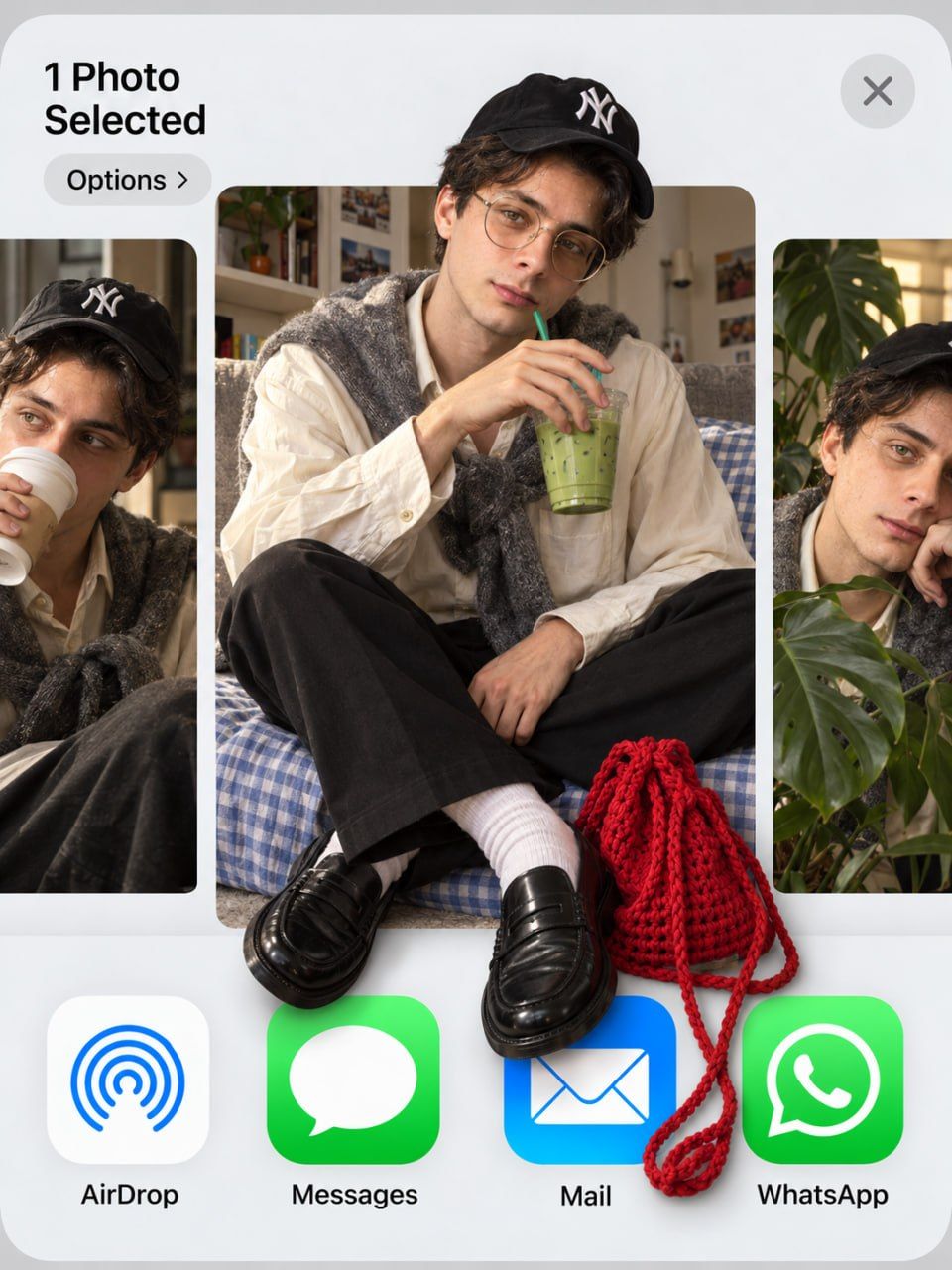
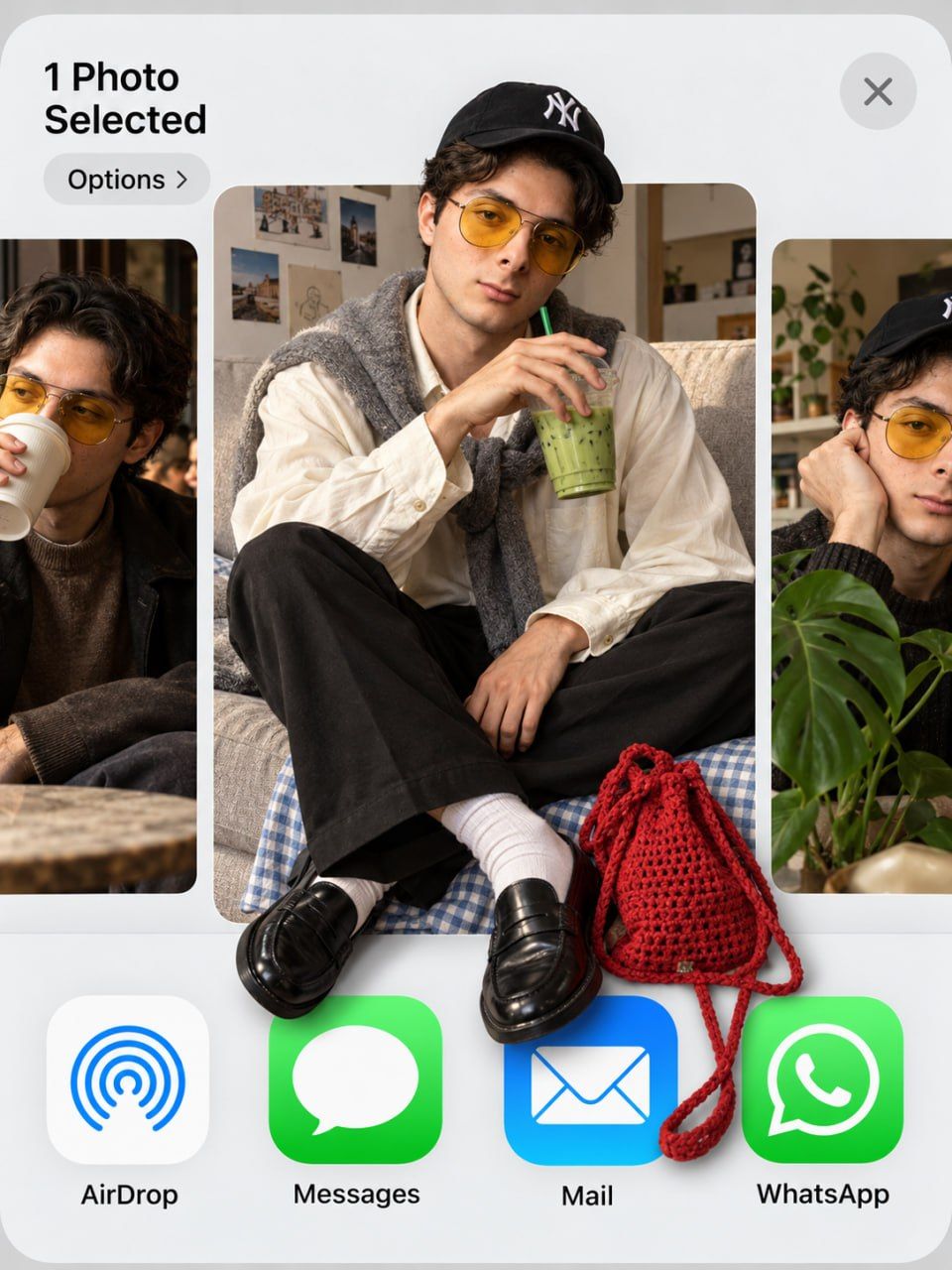
This prompt demonstrates how to create a unique 3D visual effect within the iOS interface using generative AI.
The composition utilizes the standard iOS share sheet layout, featuring a light grey background and specific UI elements like the "1 Photo Selected" indicator and app icons for AirDrop, Messages, Mail, and WhatsApp.
Key instructions include maintaining the exact facial features, hairstyle, and identity of the reference subject while placing him in a detailed setting with specific clothing and props.
-
Subject sits cross-legged on a grey couch with a blue gingham blanket, holding an iced matcha latte.
-
Attire includes a black baseball cap with a white NY logo, thin round gold wire glasses, and an oversized cream shirt.
-
Accessories feature wide black trousers, white socks, black leather penny loafers, and a red crochet drawstring bag at his feet.
The core creative element is the 3D pop-out effect, where the main subject's cap breaks above the thumbnail edge, and his loafers spill over the bottom app icons.
- Side thumbnails show cropped variations: the man sipping takeaway coffee on the left and resting his chin on his hand beside a monstera plant on the right.
Lighting is specified as soft indoor daylight to ensure realistic skin texture and depth in the final generated image.
2.6K views